
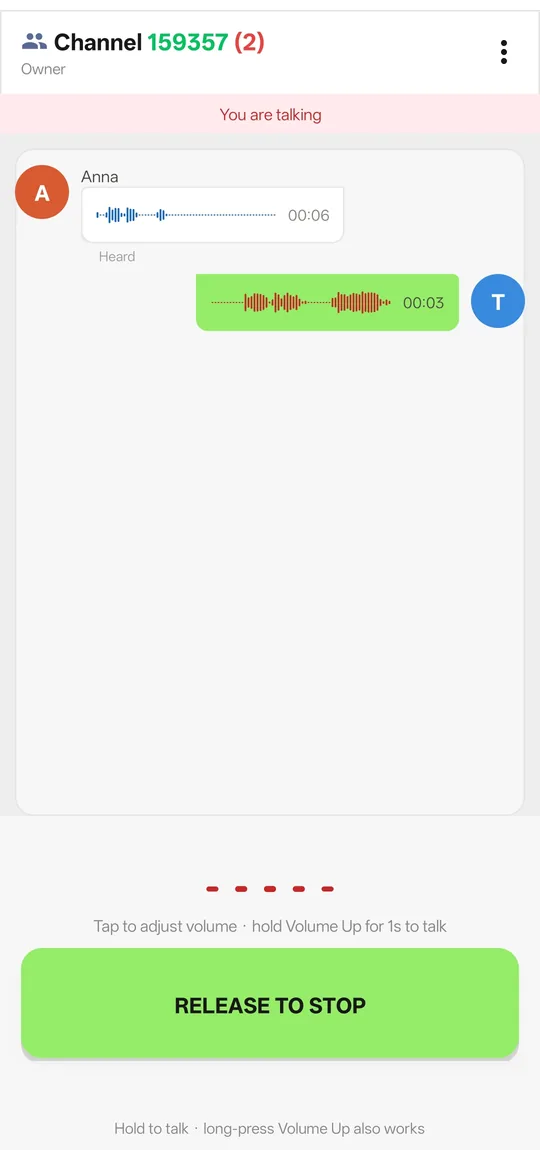
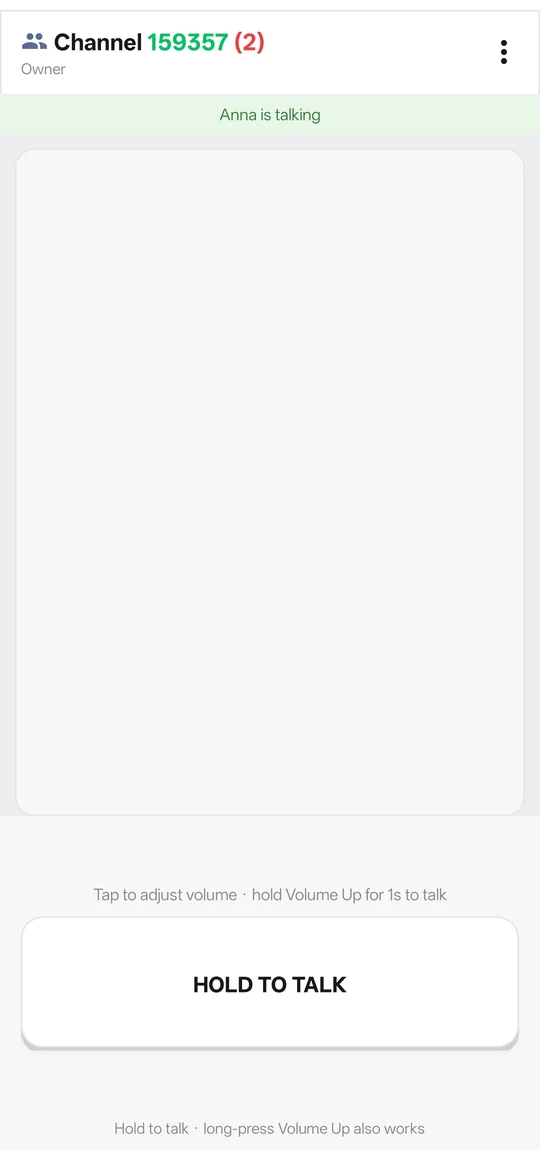
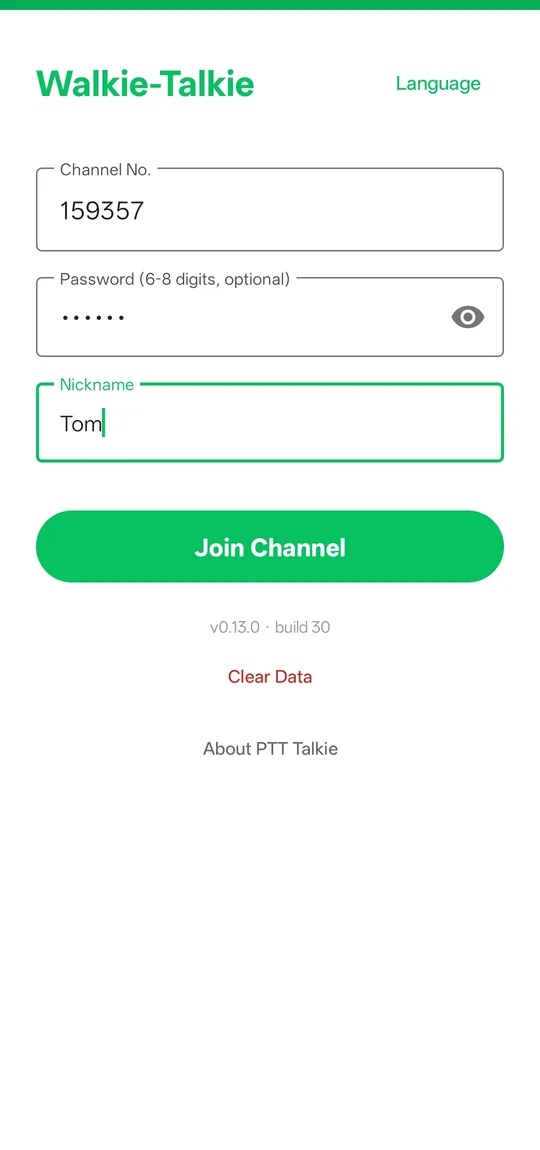
See it in action
A 27-second screen recording: join a channel, hold to talk, release to listen — no account, no setup.
Screen recording from the Android app. Turn sound on.
Start in 30 seconds
No account and no setup. Install the app, join a channel, and hold to talk.
Download the file
Use the button above on the phone you intend to install it on. Downloading directly on the device avoids transferring the file between machines.
Allow this one installation
Android will ask whether to allow installing apps from this source. Allow it for this install only — you can turn it back off afterwards.
Confirm the warning
Because the app is not distributed through an app store yet, Android shows a one-time warning. That is expected; the SHA-256 file above is how you confirm the file is the one we built.
Grant the microphone
The app needs microphone access to capture your voice while you hold the talk button. Nothing is recorded when the button is not held.
Allow background operation
Tap the banner on the talk screen and add BP Talk to the battery-optimisation whitelist, so Android keeps the channel alive with the screen off.
Communication shouldn't feel like a phone call.
No dialling. No waiting. No complicated steps. Just press and talk.
Messaging app
Phone call
BP Talk
Everything a walkie-talkie needs. Nothing else.
Built around one small job: let a group of people hear each other instantly, even across countries and unstable mobile networks.
Hold the on-screen button — or the volume-up key for about one second — and your voice goes out immediately. Release and everyone hears it. No call setup, no ringing.
Every member shows as online, listening or offline. You always know who is actually in front of the phone before you start talking.
If the connection quietly dies, the app notices and reconnects before you do. Server updates never drop you out of your channel.
No sign-up, no contacts upload. Once you leave a channel on purpose, the app never silently rejoins — being reachable is always your decision.
A 6-digit channel number plus an optional 6–8 digit password. Owner, admin and member roles, with kick, mute and ownership transfer built in.
Messages are stored locally so you can replay anything. Voice you missed while disconnected or in the background is replayed automatically, in order, when you come back.
A foreground service keeps the channel alive while the screen is off, with a system alarm as a safety net during deep sleep and an in-app guide for battery-optimisation whitelisting.
Available in 19 languages, switched instantly inside the app, with right-to-left layout for Arabic and Urdu.
Where a walkie-talkie beats a phone call
Anywhere a short message has to reach several people at once, without anyone stopping what they are doing.
Fleets & delivery
Drivers keep one channel open all shift long and talk without unlocking the phone or dialling.
Sites & warehouses
Noisy environments where a quick shout is faster than a call, and everyone hears the same instruction at once.
Events & security
Staff spread across a venue stay coordinated without hardware radios or licences.
Cross-border teams
Works over the public internet on standard ports, so colleagues in different countries can share one channel.
Family & small groups
A private channel with a password is enough for a trip, a hike or a group that just wants to stay in touch.
Field work abroad
Designed for mobile networks that throttle unusual traffic: it reconnects by itself and replays what you missed.
What we ask for, and why
Your privacy matters. BP Talk collects as little as it can and explains everything it does collect.
Download BP Talk
Fast, simple and transparent.
Frequently asked questions
Short answers to the questions we get most.
Does BP Talk require an account?
No. There is no sign-up, no email address and no phone number. Each installation generates a random device identifier locally.
What platforms are supported?
The current public build targets Android 7.0 (API 24) and newer. It is a single APK and does not require Google Play services.
How does push-to-talk work?
Choose a channel, hold the talk button, speak, then release. Everyone in the channel hears the message.
Where can I verify the APK?
The download page publishes the exact file name, byte size and SHA-256 checksum of every release. Compare them with the file you received before installing.
I stop receiving voice after the screen has been off for a while. Why?
Android restricts background networking to save battery. Tap the banner on the talk screen and allow the app to ignore battery optimisations. The system still limits background wake-ups, so whitelisting is the only way to stay truly real-time.
Do I have to rejoin after losing signal or changing networks?
No. The app notices a dead connection and reconnects by itself, then replays the voice that was sent while you were away, in the original order.
How do I talk with the hardware keys?
Press and hold the volume-up key for about one second to start talking, then release to stop. A press shorter than one second simply raises the volume, as usual.
Android warns that the package is unsafe. Is it?
The app is not distributed through an app store yet, so Android shows a one-time confirmation when you install it. That is expected behaviour for a directly distributed APK.
Available in 19 languages
The app and this website are both available in 19 languages. Arabic and Urdu use a right-to-left layout. Use the selector at the top of any page to switch language.